
How we built a pipeline from LangSmith’s bulk export to BigQuery-powered dashboards
This is for you if you’re running LLM agents in production using LangChain or similar frameworks. And you want dashboards. Real ones. The kind that product managers and finance teams can read.
Had Traces. Needed Answers.
You finally ship your agent. Get flooded with data coming from ongoing conversations, and yet you’ve got no real insights. It’s that classic problem, right? You find a trace, inspect it, then open another, then another. After twenty minutes of clicking, we’d have an anecdote not an answer.
As defined in langChain’s documentation: a trace is a collection of runs for a single operation. For example, if you have a user request that triggers a chain, and that chain makes a call to an LLM, then to an output parser, and so on, all of these runs would be part of the same trace.
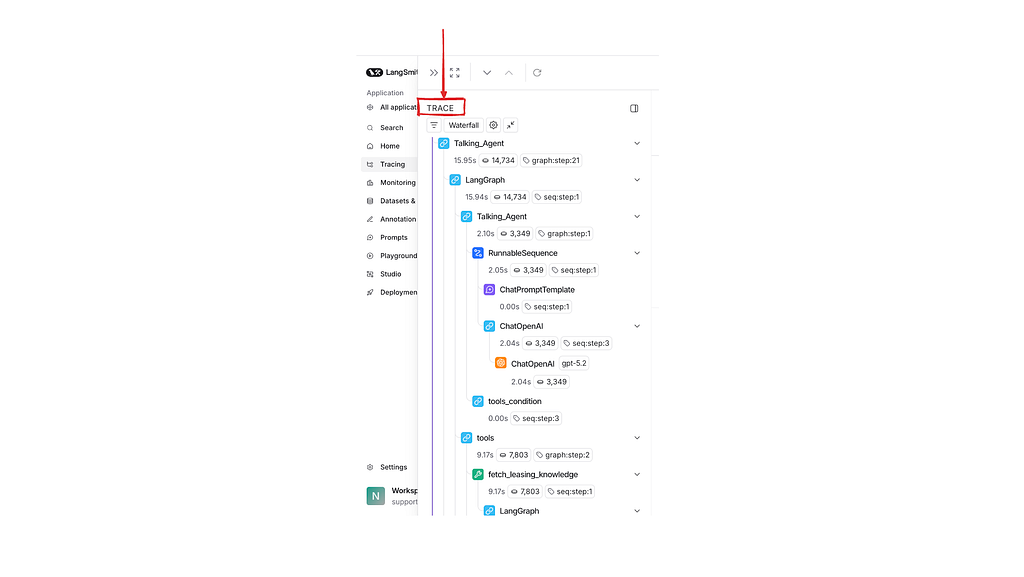
Why Tracing UIs Are Not Dashboards (And Shouldn’t Be)
When it comes to monitoring LLMs, the boundaries between observability and analytics become increasingly blurred.
Think of observability as a high-powered microscope. It gives you precision on one single instance. When a user reports a problem, observability is what lets you dissect that one trace to find the root cause.
Analytics is the telescope. It shows you the big picture the trends, the aggregates, the patterns across thousands of interactions.

Traces are trees, not tables
Each trace is a deeply nested graph execution thus the gap exists because traces are fundamentally the wrong shape for analytics.
To answer: which tool gets called most? you need to flatten all runs across all traces, extract the relevant field, group by tool name, and count. That’s a SQL query, not a trace lookup.
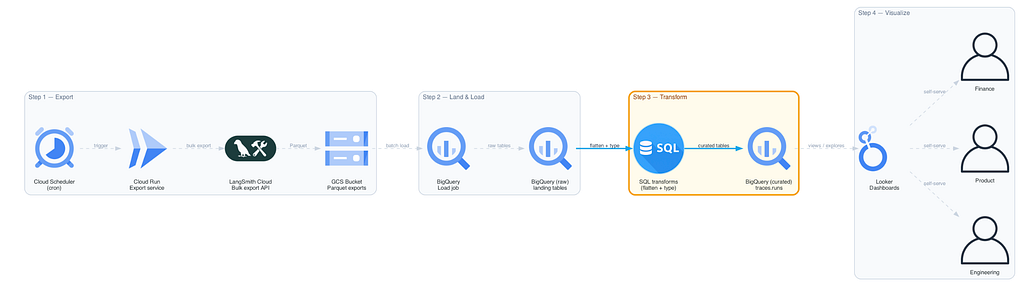
The Pipeline: A Four-Stage Blueprint
Step 1: Export
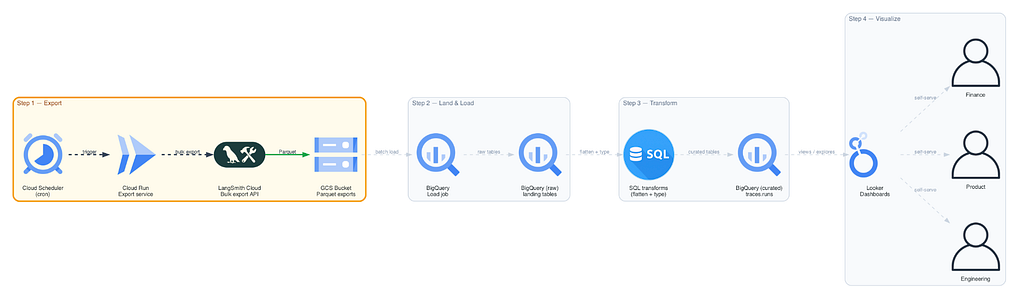
We set up a scheduled service a Cloud Scheduler triggering a Cloud Run instance to automatically pull all the trace data from LangSmith. The key here is using LangSmith’s bulk export feature. Bulk export is purpose-built for analytics: it packages everything into efficient Parquet files.
Step 2: Land and Load
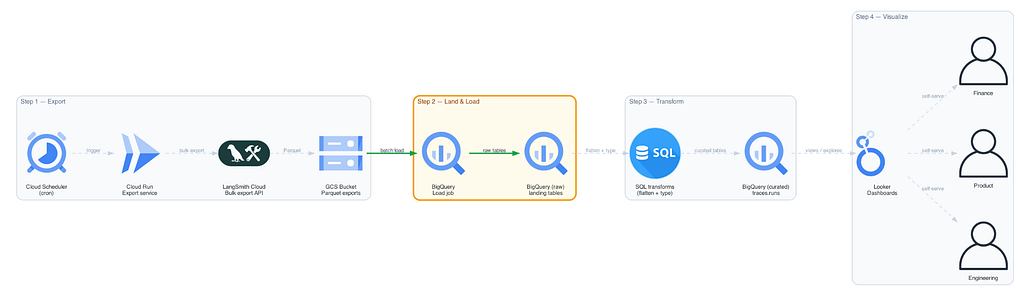
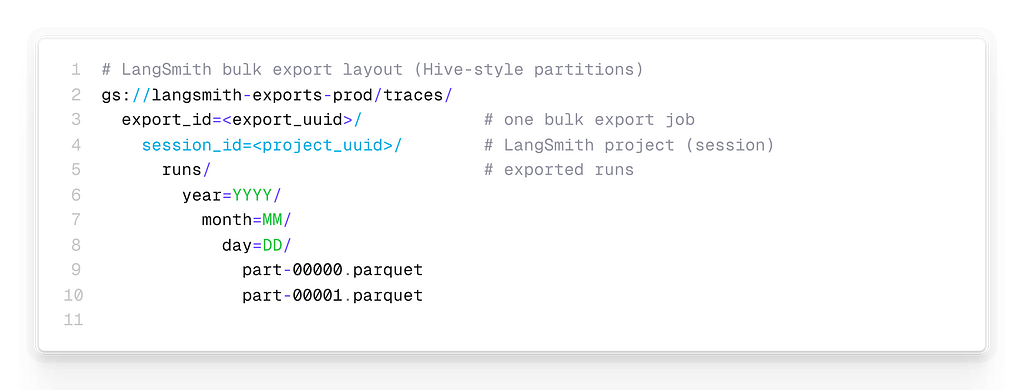
Those Parquet files land in Google Cloud Storage with Hive-compatible partitioning:
From there, a batch load job pushes them into BigQuery.
Step 3: Transform
This is the core engineering challenge. We’re taking that raw, nested tree-structured data and flattening it into clean, structured tables that SQL can understand.
We chose a hybrid schema: typed columns for stable, high-value fields (tokens, latency, model name) and JSON columns for dynamic payloads (inputs, outputs, metadata).
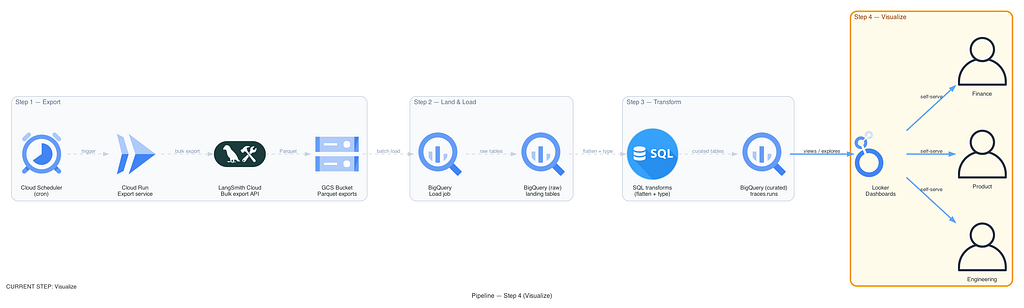
Step 4: Visualize with headless BI
We embrace what’s called headless BI. Key metrics are defined once, centrally, in the BI layer, but they can be accessed anywhere in a dashboard, through an API, or even fed back into production systems to make them smarter in real time.
A dashboard without a question is just a screensaver. Every chart must answer the question: “If this number changes, what would we do differently?” If the answer is “nothing,” remove it.
So we built six dashboards, each for a specific decision type.
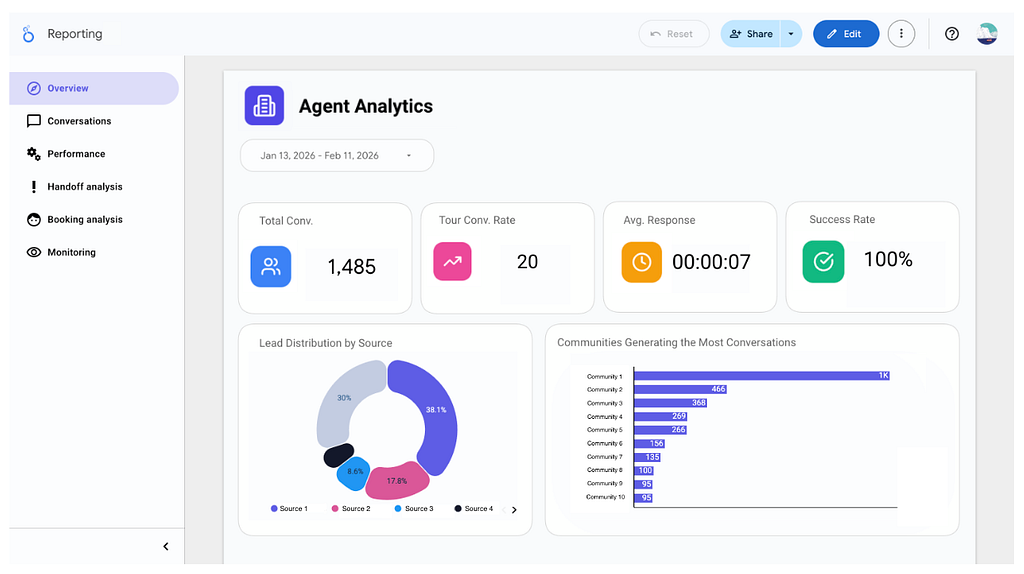
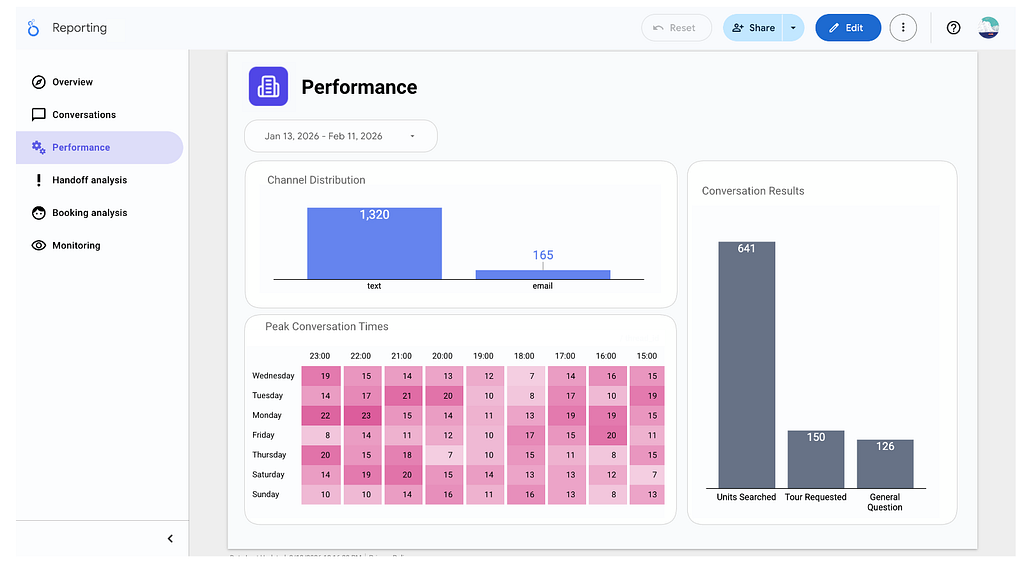
At last once LLM workflows move into production, traces stop being debugging artifacts and start becoming data products. If you’re running LLM agents in production, what questions can’t you answer today?